Quick start
Install the lite package (no Qt, no Ansys):
pip install quantum-metal
Extras, conda and source installs are described in Installation.
Place a transmon and change one option. The code below is taken from the cells of the notebook 1.1 Quick start.
import qiskit_metal as qm
from qiskit_metal import designs

design = designs.DesignPlanar()
gui = qm.gui(design)  # Qt locally, inline matplotlib in Colab/Binder

from qiskit_metal.qlibrary.qubits.transmon_pocket import TransmonPocket

q1 = TransmonPocket(design, "Q1")
gui.rebuild()  # rebuild the design and plot

q1.options.pos_x = "0.5 mm"
q1.options.pos_y = "0.25 mm"
q1.options.pad_height = "225 um"
q1.options.pad_width = "250 um"
q1.options.pad_gap = "50 um"
gui.rebuild()

gui.autoscale()
gui.screenshot()
qm.gui(design) returns the desktop MetalGUI when PySide6 and a display
are available, and an inline matplotlib viewer otherwise. Both expose the same
gui.* calls. qm.view(design) draws a design into any matplotlib axes
without a GUI object.
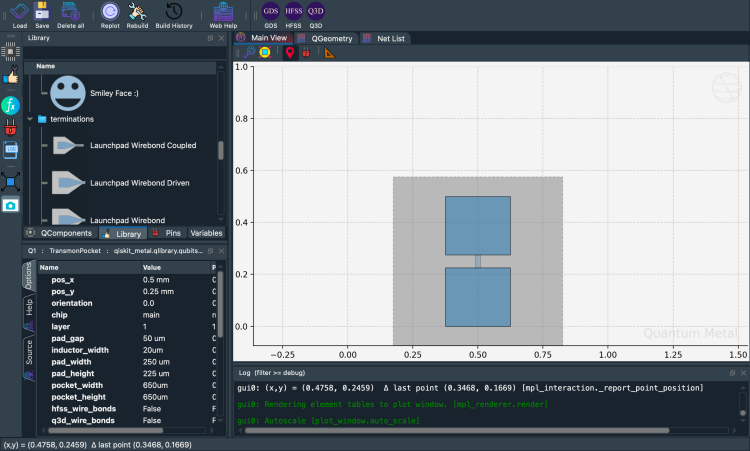
Fig. 1 Output of the last cell, as stored in notebook 1.1.
Run it in a notebook
Continue