How to Set Up IBM Quantum Access Credentials for Prefect
This guide explains how to configure Prefect Qiskit integration to access IBM Quantum services from the MDX workflow server.
You will create two Blocks: (1) IBMQuantumCredentials and (2) QuantumRuntime.
Concept: Block — Blocks store reusable configuration and credentials. You will create Blocks for IBM Quantum access for the HPC execution environment, so the Flow code remains simple.
[!IMPORTANT] Replace
z12345with your actual account name.
Step 1: Log in to MDX Workflow Client
Connect to MDX Workflow Client.

ssh -A z12345@mdx-workflow.example.org
Step 2: Install Prefect Qiskit Package
Activate your virtual environment:

source ~/venv/prefect/bin/activate
Install the Prefect Qiskit integration:
uv pip install prefect-qiskit
Step 3: Configure Prefect Profile
Switch to the Prefect profile:
prefect profile use mdx
Update your the prefect token (Only On-Prem Prefect) if token is expired:
prefect-auth login
/work/gz00/z12345/qcsc-prefect/scripts/prefect_sync_env_to_config.sh -p mdx
Step 4: Register IBM Quantum Blocks
4.1 Register Prefect-Qiskit block schemas (one-time per environment)
Register the block schemas for Qiskit integration:
prefect block register -m prefect_qiskit
prefect block register -m prefect_qiskit.vendors
4.2 Create IBM Quantum credentials block
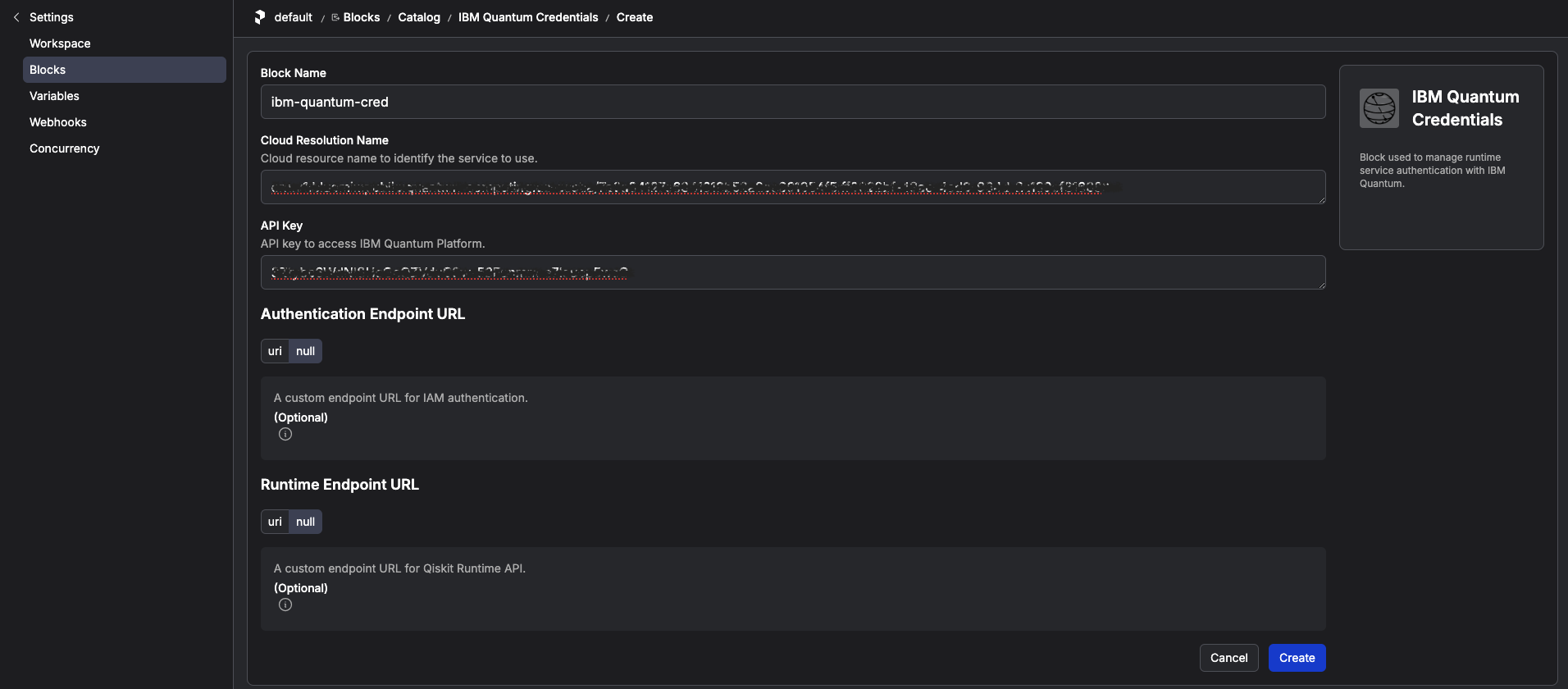
Create the IBM Quantum Credentials block:
prefect block create ibm-quantum-credentials
Open the displayed URL in your browser and fill in the fields below (copy/paste):
| Field | Value |
|---|---|
| Block Name | ibm-quantum-cred |
| Cloud Resource Name (CRN) | A string starting with crn:v1:bluemix:... from IBM Cloud |
| API Key | Your IBM Cloud API key (keep secret) |
The following image is the screenshot for the credential block.
5.3 Create QuantumRuntime block
Then, enter the following:
prefect block create quantum-runtime
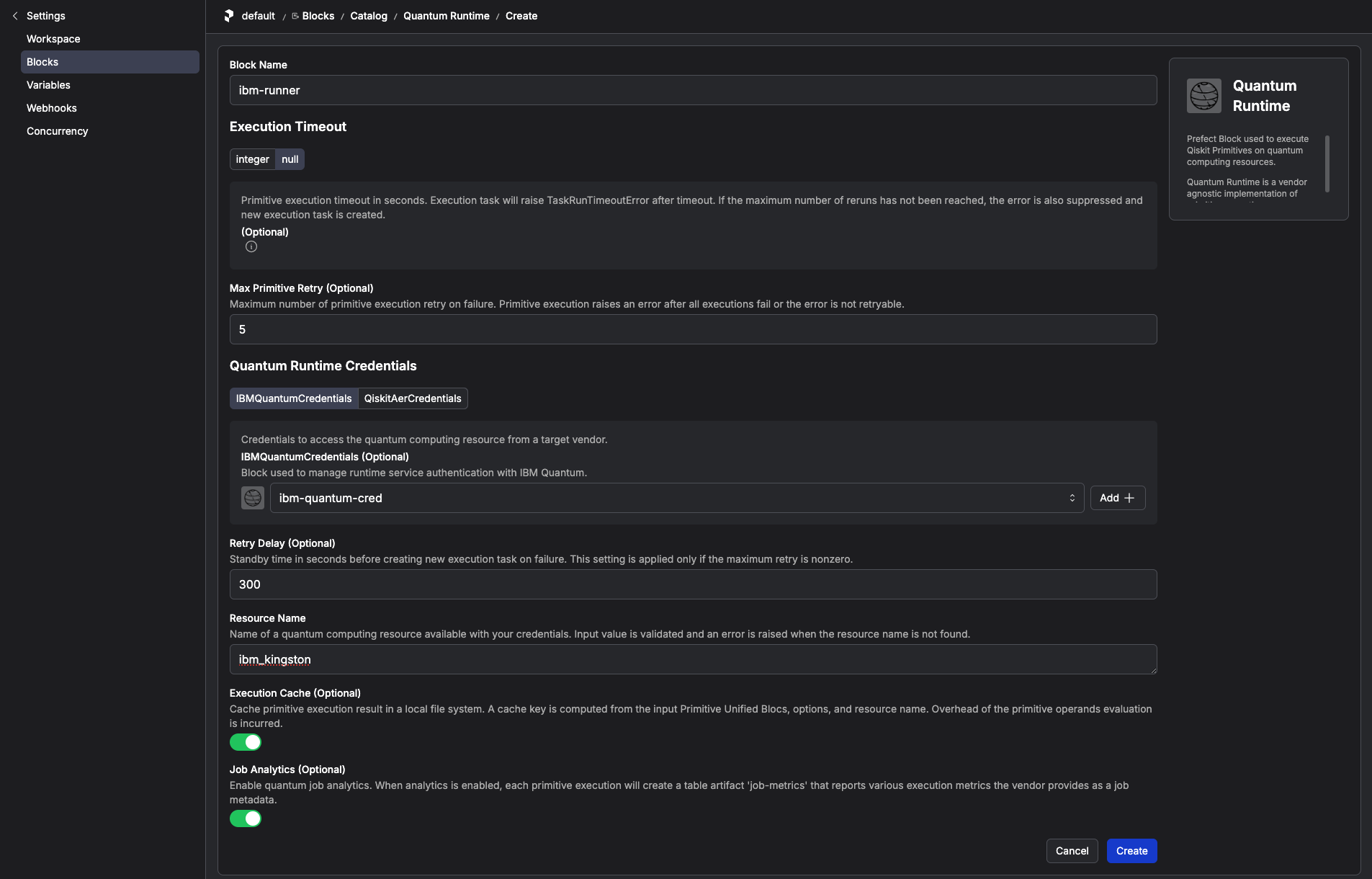
Follow the URL shown to configure the runtime block. Specify the IBM Quantum backend name and link the credentials block you created above. You can also configure preferences for Qiskit primitive execution.
Open the URL and configure:
| Field | Value |
|---|---|
| Block Name | ibm-runner |
| Resource Name | ibm_kawasaki (or the provided resource name) |
| Quantum Runtime Credentials | Select ibm-quantum-cred from the dropdown |
| Job Analytics | Enabled |
The following image is the screenshot for the runtime block.
[!NOTE] If a real IBM Quantum backend such as
ibm_kawasakiis not available, you can configure Qiskit Aer as an alternative backend. Follow the official prefect-qiskit tutorial here: Use Qiskit AerIn the Aer setup, create a
Qiskit Aer Credentialsblock and configure theQuantumRuntimeblock withResource Name = aer_simulator. If you already created the tutorial Variables for the Miyabi workflow, delete them from Prefect before switching to Aer because they cannot be used in this setup:miyabi-bitcount-optionsIf you also opted into the legacy tutorial assets, deletemiyabi-tutorialas well.
Confirm you have access to the blocks you created:
prefect block ls
Example output:
┏━━━━━━━━━━━━━━━━━━━━━━━━┳━━━━━━━━━━━┳━━━━━━━━━━━━━┳━━━━━━━━━━━━━━━━━━━━━━━━━━━━━━━━━━┓
┃ ID                     ┃ Type      ┃ Name        ┃ Slug                             ┃
┡━━━━━━━━━━━━━━━━━━━━━━━━╇━━━━━━━━━━━╇━━━━━━━━━━━━━╇━━━━━━━━━━━━━━━━━━━━━━━━━━━━━━━━━━┩
│ 9d87e2a8-e7b8-4e3b-98… │ IBM Quan… │ ibm-quantu… │ ibm-quantum-credentials/ibm-qua… │
│ 8c9e4ff7-b09a-4f11-bc… │ Quantum … │ ibm-runner  │ quantum-runtime/ibm-runner       │
└────────────────────────┴───────────┴─────────────┴──────────────────────────────────┘
If the blocks don't appear, it's likely that the Prefect profile setup failed. Go back to Step 3 and ensure you have successfully logged in to the Prefect Cloud workspace.
END OF GUIDE